

 HashAgent Pro
 PDFTone
 DD Images
 Start Training Now
macOS · iOS · iPadOS
HashAgent Lite
Any file. Any string. Instant checksum. Calculate cryptographic hashes for any file or text in seconds — compare files by hash, validate downloads, verify backups. All processing happens locally.
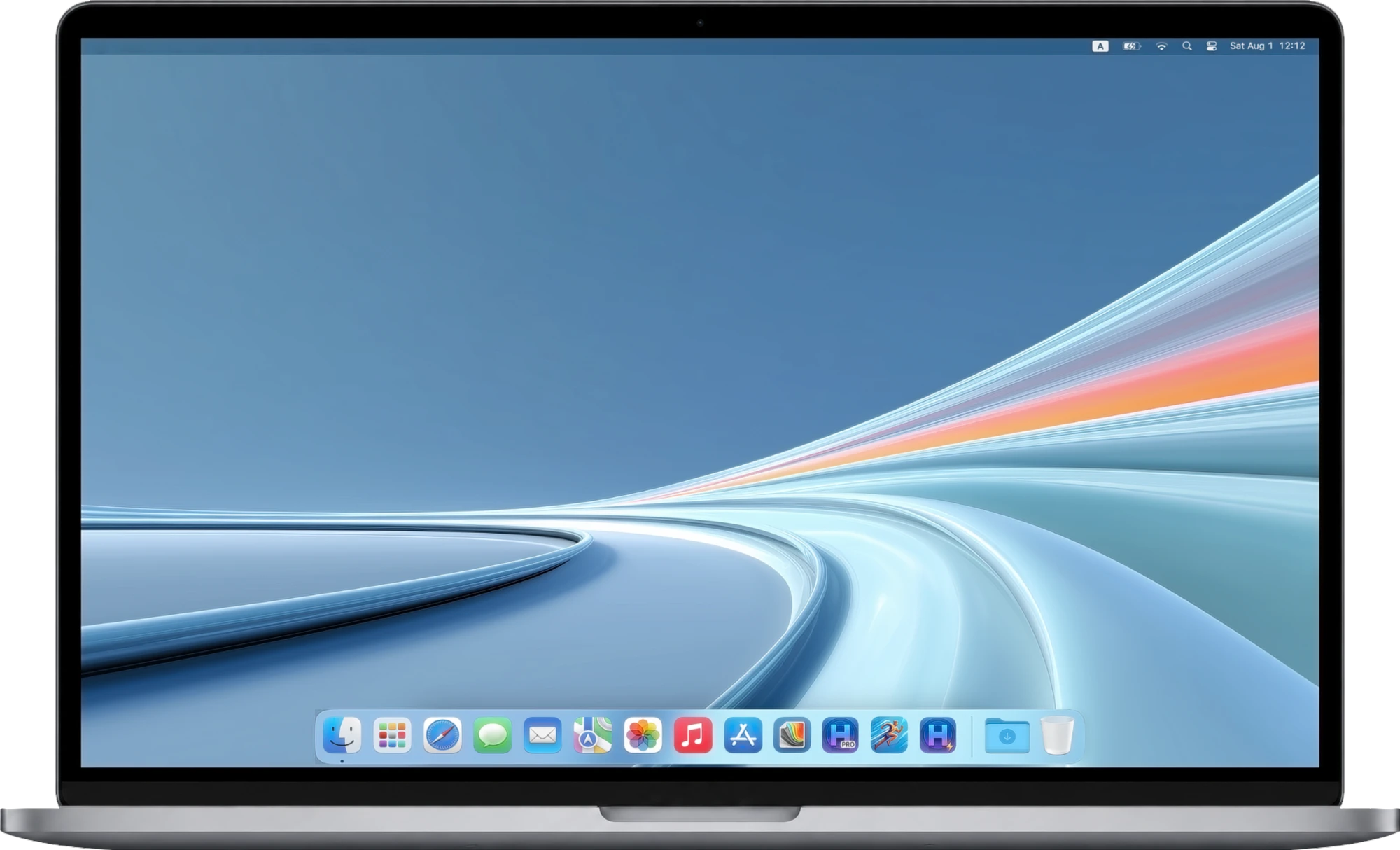
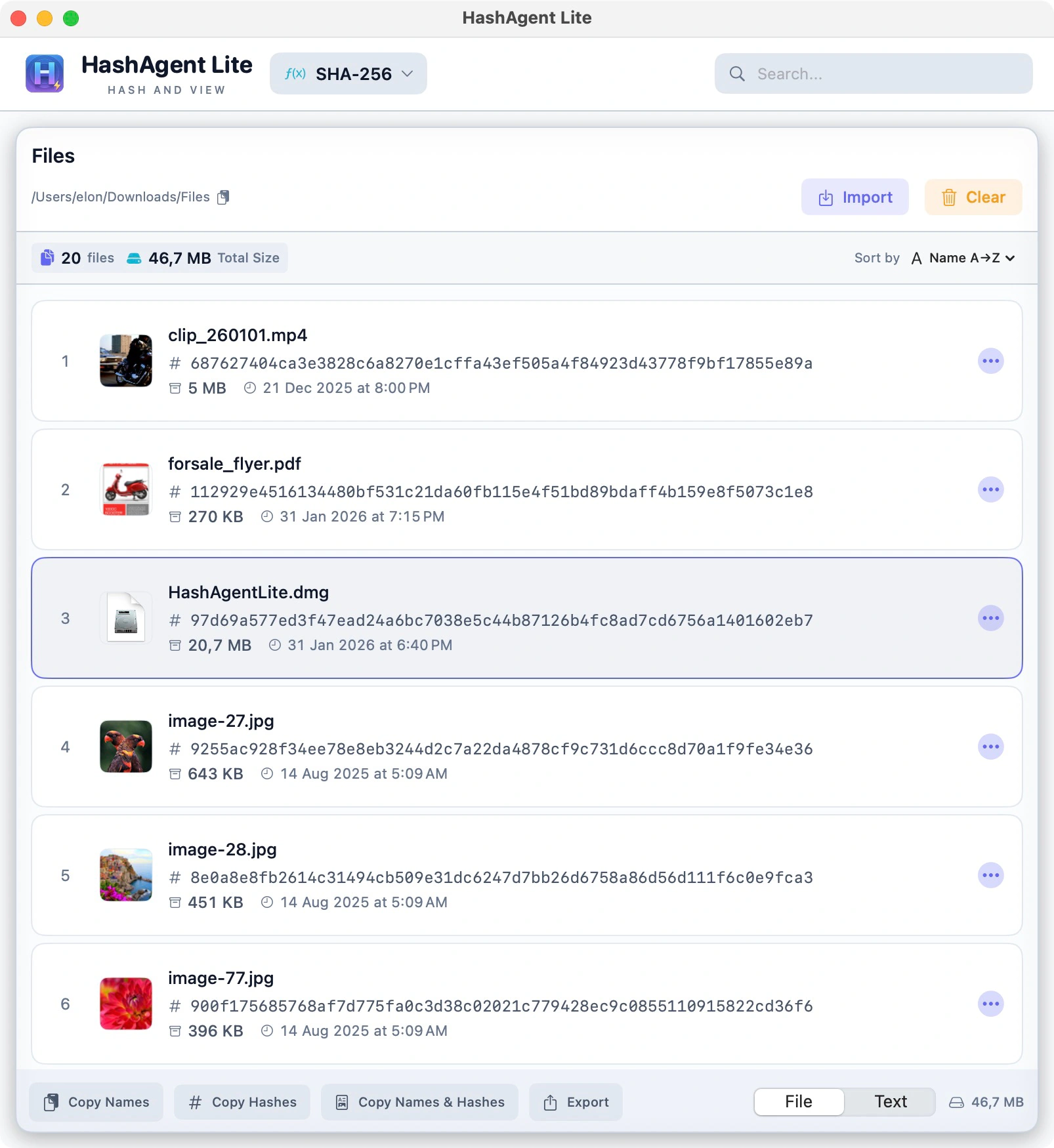
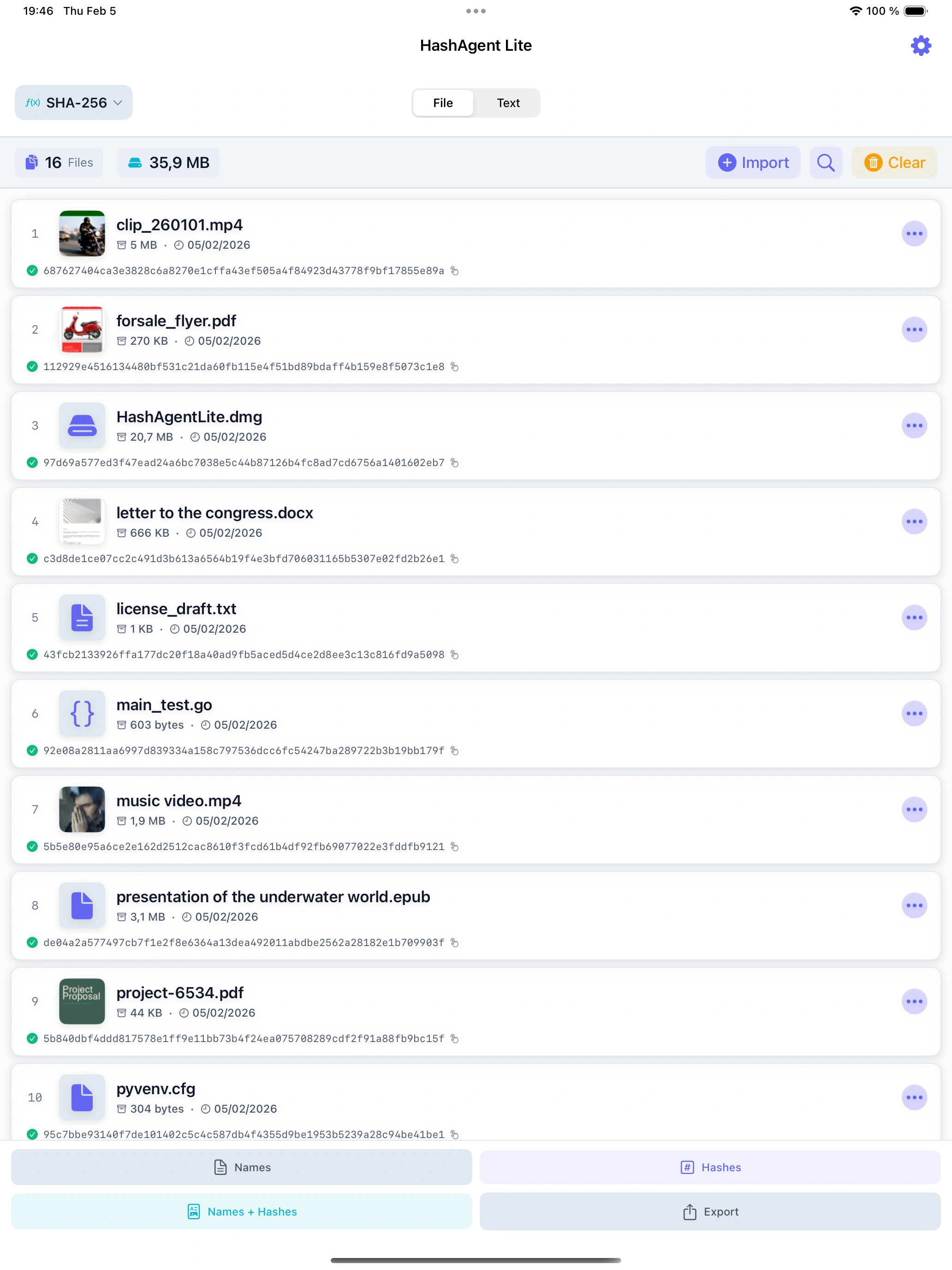
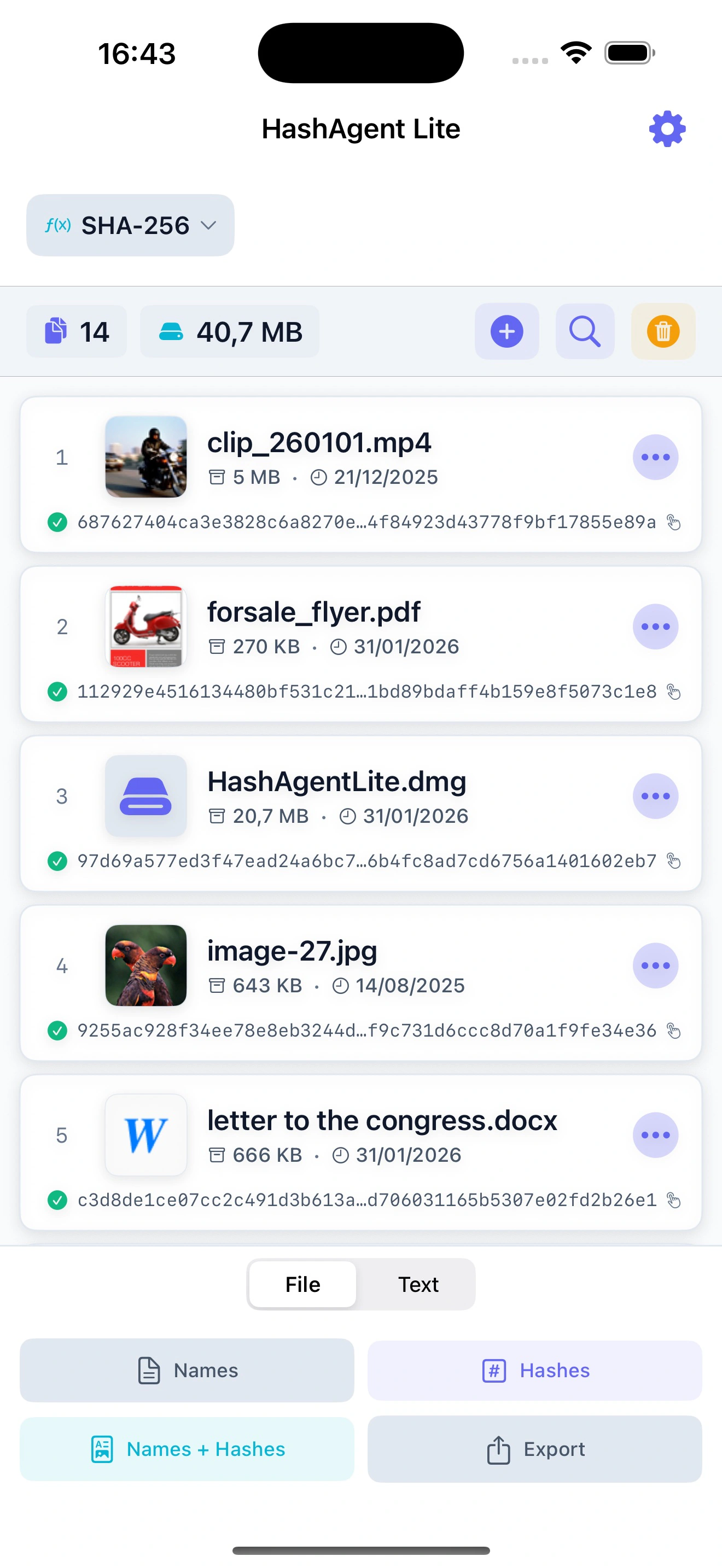
39 Algorithms
From fast checksums like CRC32 and xxHash to SHA-2, SHA-3 and BLAKE3.
Files & Text
Drop a file or paste a string — the hash is ready instantly.
100% Local
All processing happens on your device. No internet required.
Algorithms
A wide range of hash algorithms
From fast checksums to cryptographic-grade hashes — pick the one that fits your workflow.
Deprecated39 hash algorithms in total. MD5 and SHA-1 are shown with a deprecation warning — still available for legacy compatibility.
Features
Everything you need
Simple, fast, and focused — designed to get out of your way.
Drag & Drop
Drag any file or folder straight into the app window. Hashing starts immediately — no extra steps needed.
Text Hashing
Type or paste any text and get its hash instantly. Useful for verifying API tokens, passwords, or any string value.
Share Extension
Hash files directly from Finder, Files app, or any app that supports sharing — without opening HashAgent Lite first.
Export Results
Export your hash results to CSV, JSON, XML, YAML, or Parquet for use in reports, scripts, or audit logs.
Fast Multi-threaded
Large files are processed in parallel using all available CPU cores. Even multi-gigabyte files hash in seconds.
100% Local
All hashing happens on your device using native Apple frameworks. No internet required, no data ever leaves your computer.
iOS
iOS version notes
Due to iOS sandbox restrictions, a few things work differently compared to macOS.
- All 39 hash algorithms, text hashing and hash comparison
- Share Extension and copy to clipboard
- Export to CSV, JSON, XML, YAML, Parquet via the Share Sheet
- 100% local processing — identical to macOS
Export Results — CSV, JSON, XML, YAML, Parquet
HashAgent Lite can export hash results in five formats. Because iOS sandboxes file access, exported files are shared via the system Share Sheet — save to Files, send by email, or open in any compatible app.
What Works the Same on iOS
All 39 hash algorithms, text hashing, hash comparison, Share Extension, copy to clipboard, and 100% local processing all work identically on iOS as on macOS.
File Paths Not Shown
iOS does not expose full filesystem paths to apps. HashAgent Lite shows the file name only — the full path cannot be displayed or copied. This is an iOS platform restriction, not an app limitation.
Drag & Drop — Files Only (iPad)
On iPad, you can drag individual files from the Files app or other apps directly into HashAgent Lite. Dragging entire folders is not supported. On iPhone, use the file picker button or the Share Extension instead.
Sandboxed File Access
iOS apps can only access files you explicitly grant access to through the system file picker or Share Extension. HashAgent Lite cannot scan folders in the background or access files outside its sandbox without your action.
No Recursive Folder Scan
On iOS, it is not possible to recursively scan an entire folder and all its subfolders in one step. Files must be selected individually or shared one by one from other apps.
Use Cases
When to use it
Practical scenarios where hash verification makes the difference.
Validate Downloads
Downloaded an installer from the web? Generate its hash and compare with the value listed on the official website to confirm it was not tampered with.
Verify File Transfers
Need to confirm a file was not changed after sending it to a client? Hash it before and after — the result should be identical.
Monitor Backups
Running nightly backups? Hash your files regularly to spot silent corruption or accidental modification early.
Compare Files
Got two similar files and not sure if they are the same? Generate a hash for each and compare the values yourself.
Software Deployment
Deployed a software update? Hash the binaries before and after to make sure nothing was modified on the server.
IT Security & Forensics
Generate and log file hashes as proof that files were not altered after collection — standard practice in security audits and forensic investigations.
Local by design.
Every hash is calculated on your device — on Mac, iPhone and iPad.
Your data stays yoursFiles, settings and history never leave your device.
Native and lightweightBuilt natively for Apple devices.
Honest pricingFree or one-time purchase where possible.
No ads, no trackersNothing is ever sold, shared or analyzed.
Support
Need help?
Find answers to common questions or get in touch with support.
Ready to try HashAgent Lite?
Download HashAgent Lite and start verifying file integrity in seconds.