

 HashAgent Pro
 HashAgent Lite
 DD Images
 Start Training Now
macOS · PDF Color Converter
PDFTone
Drop a PDF. Pick a tone. Done.
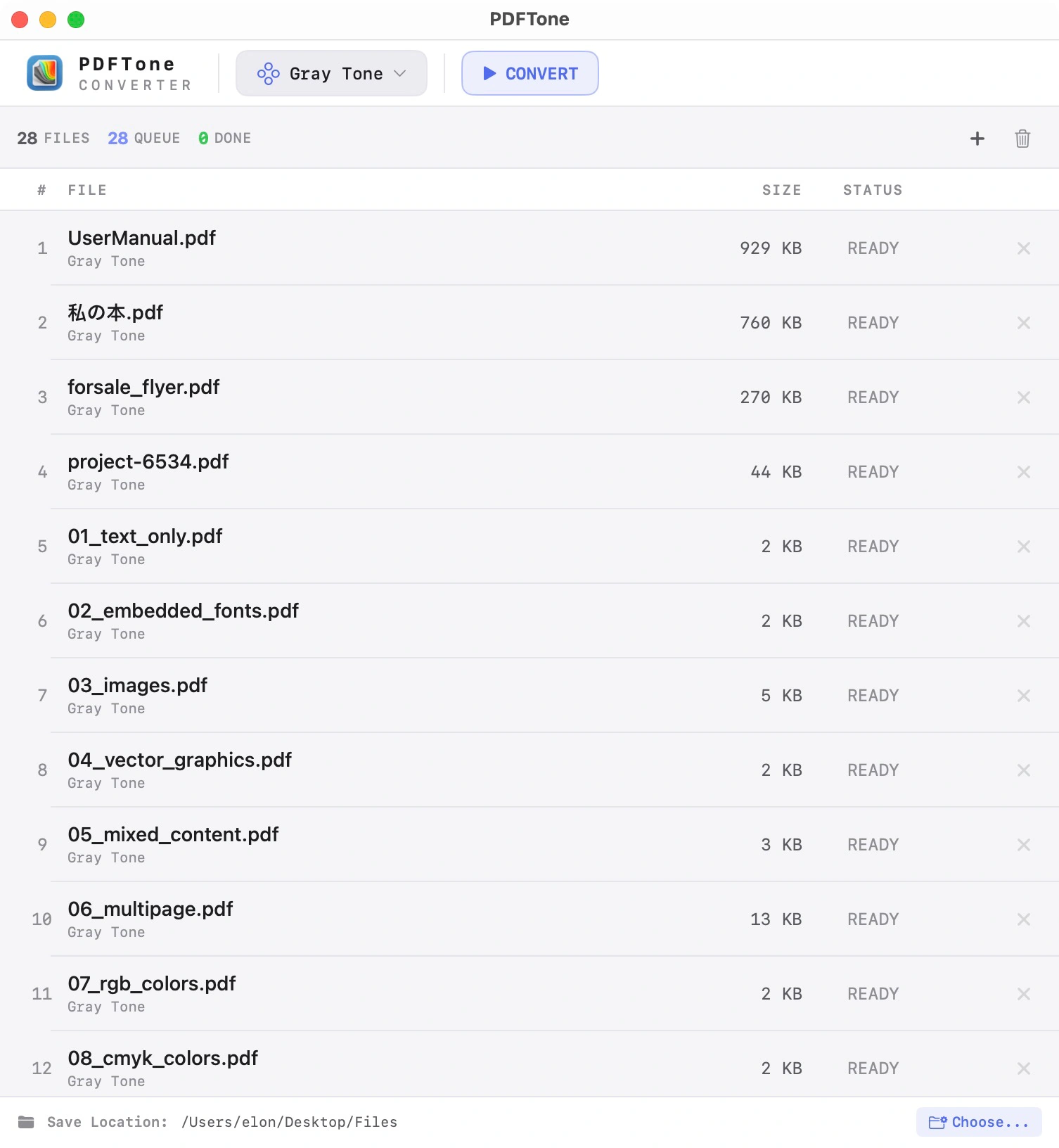
Convert PDF files to grayscale, black & white, sepia, blue tone, and more — in seconds. Drag & drop multiple files, pick a filter, and let PDFTone do the rest. All processing happens locally on your Mac.
Batch Processing
Drop any number of PDF files at once and convert them in one go.
Six Color Filters
Grayscale, black & white, sepia, blue tone and lightness adjustments.
100% Local
Converted on your Mac with native macOS PDF APIs. Files never leave your device.
Features
Everything you need
Simple, fast, and powerful — designed to get out of your way.
Batch Processing
Drop any number of PDF files at once. PDFTone handles them efficiently in sequence — no manual steps needed.
Drag & Drop
Drag files or entire folders straight into the window. Or import via the Share menu from Finder, Preview, and other apps.
Auto-Convert
Enable Auto-Convert and PDFTone starts processing files the moment you drop them in — zero extra clicks required.
Save Next to Original
Converted files are saved alongside the source PDFs — no need to hunt for output in a separate folder.
Privacy First
All conversion happens on your Mac using native macOS PDF APIs. Your files never leave your device.
Native macOS App
Built with Swift and SwiftUI for Apple Silicon and Intel Macs. Supports macOS 13 Ventura and later.
Filters
Six color filters
Choose the tone that fits your workflow — from professional grayscale to warm sepia.
Drop a PDF. Pick a tone. Done.
Convert PDF files to grayscale, black & white, sepia, blue tone, and more — in seconds.
Your data stays yoursFiles, settings and history never leave your device.
Native and lightweightBuilt natively for Apple devices.
Honest pricingFree or one-time purchase where possible.
No ads, no trackersNothing is ever sold, shared or analyzed.
Support
Need help?
Find answers to common questions or get in touch with support.
Ready to try PDFTone?
Download PDFTone and start converting your PDF files in seconds.